FortiGate IPsec VPN: Setup, Configuration, and Troubleshooting
Learn how FortiGate IPsec VPN works, how to configure a secure tunnel, and how to troubleshoot common connection issues.


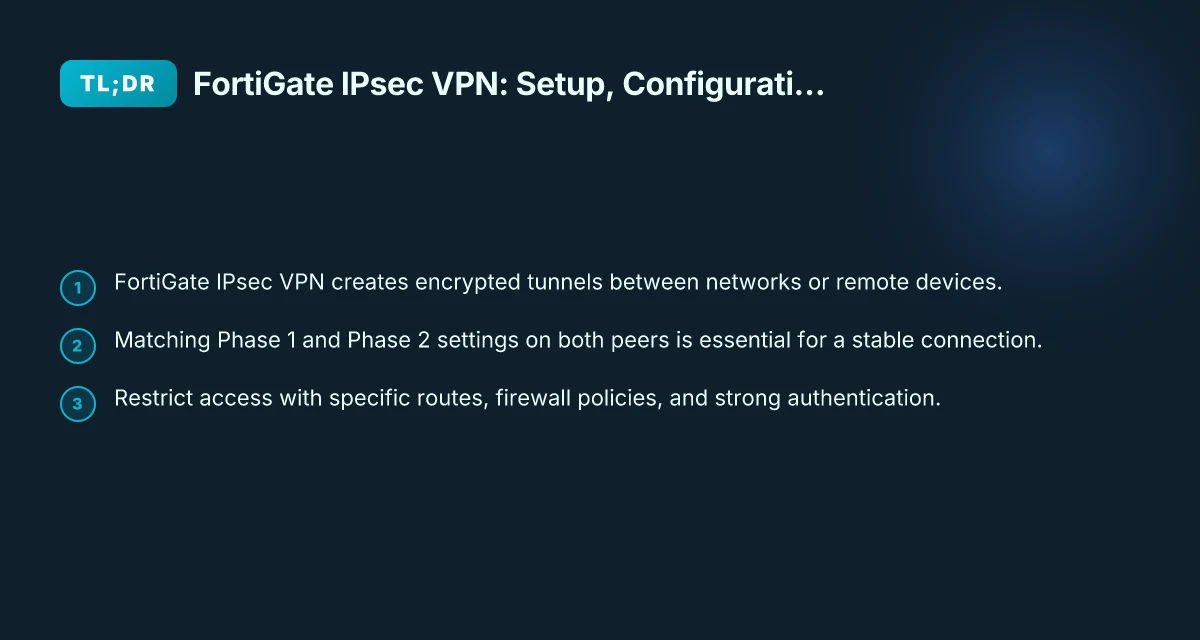
FortiGate IPsec VPN lets you securely connect two networks or provide remote users with access to an organization’s resources. To configure it, define compatible Phase 1 and Phase 2 settings on both VPN peers, add routes and firewall policies for permitted traffic, then verify that the tunnel and data flow work as expected.

Editor's pick: NordVPN — fast, secure VPN — Strong encryption, a no-logs policy and apps for every device. 30-day money-back guarantee. Get NordVPN →
Compare common FortiGate IPsec VPN deployment options
| Option | Connects | Typical use | Peer requirement | User authentication | Key planning point |
|---|---|---|---|---|---|
| Site-to-site | Two or more networks | Connect branch offices | VPN-capable gateway | Device or tunnel credentials | Match proposals and network routes |
| Remote access | Individual users to a network | Connect staff off-site | FortiGate and compatible client | User credentials, often with MFA | Define access by user or group |
| Route-based tunnel | Networks through a virtual interface | Flexible routing and policy control | Compatible IPsec peer | Tunnel credentials | Add routes and firewall policies |
| Policy-based tunnel | Networks selected by security policies | Specific, simpler traffic selectors | Compatible IPsec peer | Tunnel credentials | Keep selectors aligned at both ends |
| Hub-and-spoke | Branches through a central site | Centralized access between sites | Hub and spoke gateways | Device or tunnel credentials | Plan routes and inter-spoke traffic |
| IKEv2 remote access | Users connect with IKEv2 | Modern client VPN deployments | IKEv2-capable client | User credentials and configured authentication | Verify client support and configuration |
| IKEv1 site-to-site | Gateways connect with IKEv1 | Existing or compatibility-driven links | IKEv1-capable peer | Device or tunnel credentials | Use only where peer requirements call for it |
Compiled November 2026; check the provider's site for current details.
| VPN | Obfuscation | From / month | Plan | Free plan | Refund | Alipay | UnionPay | Crypto | Website opens in China | Trustpilot | |
|---|---|---|---|---|---|---|---|---|---|---|---|
 ZoogVPN | Turn on manually Shadow | $2.49/mo | 27 months: $59.99 | Yes | 7 days | ✓ | ✓ | ✓ | ✓ | Official site blocked; our special link opens (4.4 s) | 4.2/5 (195 reviews) |
 NordVPN | Turn on manually Obfuscated Servers / NordWhisper | $3.49/mo | 27 months: $94.23 | No | 30 days | ? | ✗ | ✓ | ✓ | ✗ Blocked | 4.2/5 (51,628 reviews) |
 ExpressVPN | ✓ On by default all servers | $3.00/mo | 28 months: $84 | No | 30 days | ✗ | ✗ | ✓ | ✗ | ✗ Blocked | 4.4/5 (29,706 reviews) |
 Surfshark | ✓ On by default Camouflage, with OpenVPN | See site | See site | No | 30 days | ✗ | ✗ | ✗ | ✓ | ✗ Blocked | 4.3/5 (31,823 reviews) |
 Proton VPN | Turn on manually Stealth, free plan too | $2.99/mo | 12 months: $35.88 | Yes | 30 days | ✗ | ✗ | ✗ | ✓ | ✗ Blocked | 2.1/5 (1,040 reviews) |
 Astrill VPN | Turn on manually StealthVPN / OpenWeb | $12.50/mo | 24 months: $300 | No | See site | ✗ | ✗ | ✗ | ✓ | ✗ Blocked | 1.3/5 (110 reviews) |
 Private Internet Access | Turn on manually Shadowsocks, OpenVPN only | $2.03/mo | 40 months: $81.2 | No | 30 days | ✗ | ✗ | ✗ | ✗ | ✗ Blocked | 4.2/5 (11,033 reviews) |
 CyberGhost | Turn on manually selected servers | $2.19/mo | 28 months: $61.32 | No | 45 days | ✗ | ✗ | ✗ | ✓ | ✗ Blocked | 4.0/5 (24,178 reviews) |
 PureVPN | Turn on manually switch to OpenVPN | $1.69/mo | 60 months: $101.55 | No | 31 days | ? | ? | ✗ | ✓ | ✗ Blocked | 4.4/5 (17,994 reviews) |
 AdGuard VPN | ✓ On by default TrustTunnel | $2.99/mo | 24 months: $71.76 | Yes | 30 days | ✓ | ✗ | ✓ | ✓ | Official site blocked; our special link opens (3.7 s) | 4.3/5 (290 reviews) |
 Mullvad | Turn on manually QUIC / Shadowsocks / LWO | $5.61/mo | €5/mo | No | 14 days | ✗ | ✗ | ✗ | ✓ | ✗ Blocked | 3.2/5 (192 reviews) |
 Windscribe | Turn on manually Stealth / WStunnel | $5.75/mo | 12 months: $69 | Yes | See site | ✗ | ✗ | ✗ | ✓ | ✗ Blocked | 4.7/5 (13,355 reviews) |
 StrongVPN | Turn on manually Scramble, OpenVPN TCP | See site | See site | No | 30 days | ✓ | ✗ | ✗ | ✗ | ✗ Blocked | 4.4/5 (2,695 reviews) |
 LightXtreme 闪连 | Not listed | $7.08/mo | 12 months: $84.99 | Yes | 30 days | ✓ | ✓ | ✓ | ✓ | ✓ Yes (3.5 s) | No page |
Prices checked 2026-11-10 on each vendor's pricing page (cheapest long plan, USD). Check the vendor's checkout for the final price.
Obfuscation checked 2026-11-14 on each vendor's site and help center: "on by default" = nothing to set; "turn on manually" = switch protocol or mode in settings; "not listed" = the vendor describes no obfuscation.
Payment methods checked 2026-11-10 on each vendor's payment pages: all 14 take cards and PayPal; ✗ = not listed, ? = the vendor's own pages disagree.
China access: whether the official website opens from mainland China networks (tests the website only, not the VPN connection). Last checked 2026-11-18 01:02 Beijing time.
Trustpilot score and review count checked 2026-11-10.
What FortiGate IPsec VPN does
IPsec encrypts traffic between endpoints, commonly a FortiGate firewall and another gateway or a VPN client. A site-to-site tunnel links networks in different locations. A remote-access VPN connects an individual device to a private network.
FortiGate uses two negotiation stages:
- Phase 1 (IKE): Establishes a secure connection between the peers and authenticates them.
- Phase 2 (IPsec): Negotiates the encrypted tunnel used to carry data between the selected networks.
Both sides must agree on key parameters, including IKE version, encryption and authentication algorithms, Diffie-Hellman groups, and lifetime settings. Exact options depend on the FortiOS version and the capabilities of the other endpoint.
Plan the configuration
Before creating a tunnel, gather the network and security details for both ends. For a site-to-site connection, confirm: VPN FortiGate: What It Is, How It Works, and When to Use It
- The public IP address or hostname of each VPN gateway.
- The private subnet behind each gateway.
- Whether either public address changes.
- Which traffic the tunnel should carry.
- The required authentication method and cryptographic settings.
- Whether the connection needs to work through NAT or restrictive upstream firewalls.
The protected subnets at each site should not overlap. If both locations use the same private range, routing can become ambiguous. Renumbering or carefully planned address translation may be necessary.
| VPN type | Typical use | Main configuration considerations |
|---|---|---|
| Site-to-site | Connects office or cloud networks | Peer addresses, protected subnets, routes, and policies |
| Remote access | Connects individual users or devices | Client compatibility, user authentication, address assignment, and access controls |
Choose settings that are supported by both peers, but favor modern, secure algorithms. Avoid weak or obsolete options where possible, and use a strong, unique pre-shared key if that is the chosen authentication method.
Configure a site-to-site tunnel
FortiGate configuration is available through the web interface and the command-line interface. Menu names and available fields can vary by FortiOS release, so use the documentation for your installed version.
1. Create the Phase 1 interface
In the VPN configuration area, create an IPsec tunnel and enter the remote gateway information. Set the IKE version and authentication method to match the other peer. For a pre-shared key, enter exactly the same strong key on both devices. Com.NordVPN.Android: What the NordVPN Android App Does and How to Use It
Configure compatible proposals and Diffie-Hellman groups. If the remote gateway has a dynamic public IP, use a configuration designed for a dial-up or dynamic peer rather than assuming a fixed address.
2. Define Phase 2 selectors
Add the local and remote subnets that should communicate. On one FortiGate, the local subnet is the network behind that device. The remote subnet is behind the other gateway. The opposite device must use the corresponding reversed values.
Use the narrowest selectors that meet business needs. Broad selectors can unintentionally include traffic that should not cross the tunnel. Phase 2 encryption, authentication, and key-lifetime settings must also be compatible on both sides.
3. Add routing and firewall policies
A tunnel can be established without carrying useful traffic. Add a route directing the remote subnet through the IPsec interface, unless your design uses an appropriate dynamic-routing approach. Certificate Validation Failure Cisco VPN: Causes and Fixes
Create firewall policies that explicitly permit required traffic between the local network and the VPN interface. Add a corresponding policy for traffic returning from the tunnel. Limit services and source or destination networks to what users need, and normally disable source NAT for site-to-site traffic unless translation is part of the design.
Configure remote access carefully
For remote users, first select a client and connection method supported by the FortiGate and the organization’s FortiOS version. Configure the gateway, authentication, address assignment, and allowed destination networks. Depending on the design, users may authenticate with certificates, credentials, multifactor authentication, or a combination.
Apply access controls through user groups and firewall policies. Give each group access only to the systems and services required for its role. For managed devices, certificates can provide stronger device identity than relying on a shared secret alone.
Before rollout, test with a small group of users and confirm that: FortiClientVPNOnlineInstaller: How to Download and Install FortiClient VPN
- The client can establish the VPN reliably.
- Internal name resolution works if required.
- Only approved networks are reachable.
- Internet traffic follows the intended route.
- Disconnecting the VPN restores the expected network behavior.
Compare key IPsec configuration choices
| Choice | What must match | Decision consideration |
|---|---|---|
| IKE version | Both peers’ supported version | Prefer compatible, supported configuration |
| Authentication | Authentication method and credentials | Certificates can suit larger deployments |
| Phase 1 proposal | Proposal parameters on both peers | Avoid mismatched proposals |
| Phase 2 selectors | Local and remote traffic selectors | Use only the networks that need access |
| Tunnel style | Peer configuration and traffic handling | Choose based on routing and policy needs |
| Address assignment | Client and FortiGate address settings | Prevent overlap with existing networks |
| DNS configuration | Client settings and reachable DNS servers | Ensure clients can resolve internal names |
| Access control | Firewall policies and identity settings | Limit access to required resources |
Compiled November 2026; check the provider's site for current details.
Test and troubleshoot the tunnel
Start by checking whether Phase 1 and Phase 2 are both established. FortiGate’s VPN monitoring tools and logs can show the tunnel state, negotiation failures, and traffic counters. A tunnel marked up does not necessarily mean that routing and firewall rules allow data to pass.
Common issues include: Free VPN Extension for Microsoft Edge: What to Choose and How to Use It
- Phase 1 fails: Check the peer address, reachability, IKE version, authentication method, pre-shared key, and Phase 1 proposals.
- Phase 2 fails: Compare subnet selectors, encryption and authentication proposals, and other Phase 2 parameters.
- Tunnel is up but traffic fails: Verify routes, firewall policies, policy order, and whether source NAT is being applied unexpectedly.
- Only one direction works: Check return routes and policies on both peers, along with asymmetric routing.
- Connection drops intermittently: Review lifetime and rekey settings, dead-peer detection, unstable internet links, and NAT or firewall timeouts along the path.
For an initial test, use a known host in each protected subnet and a permitted service. Check logs on both gateways, since one device may reveal a mismatch that is not obvious from the other side. Avoid changing several settings at once. Make one change, test, and record the result.
Security and maintenance recommendations
Treat the VPN as a controlled connection between security zones, not as automatic permission to access an entire network. Review firewall policies regularly and remove unused accounts, routes, and tunnels. Keep FortiOS and VPN clients updated, monitor negotiation failures, and protect configuration backups.
Use unique credentials and secrets, store them securely, and rotate them according to organizational policy. Where practical, use certificate-based authentication and multifactor authentication for remote access. Document peer settings and ownership so changes at either endpoint can be coordinated.
Troubleshoot FortiGate IPsec VPN symptoms NordVPN in China: What to Know Before You Travel
| Symptom | Check first | Likely area | Useful verification | Next step |
|---|---|---|---|---|
| Tunnel will not establish | Peer reachability and credentials | Connectivity or authentication | Review IKE status and logs | Confirm peer address and authentication settings |
| Phase 1 fails | IKE version and proposals | Phase 1 mismatch | Inspect IKE negotiation logs | Align version and Phase 1 parameters |
| Phase 1 succeeds, Phase 2 fails | Selectors and proposals | Phase 2 mismatch | Check Phase 2 status and logs | Align subnets and Phase 2 parameters |
| Tunnel is up but traffic fails | Routes and firewall policies | Forwarding or access control | Check routes, policies, and traffic logs | Permit required traffic and correct routing |
| Only some networks work | Local and remote selectors | Selector or route coverage | Compare configured subnets at both peers | Add the missing networks consistently |
| Remote users cannot connect | Client settings and user authentication | Client or identity configuration | Review authentication and connection logs | Check account, group, MFA, and client configuration |
| Clients connect but cannot reach internal DNS | DNS settings and server reachability | Client configuration or policy | Test DNS server reachability and resolution | Set reachable DNS servers and allow required traffic |
| Tunnel drops intermittently | Peer stability and configuration changes | Connectivity or rekey behavior | Review logs around disconnects | Check network stability and matching lifetime settings |
Compiled November 2026; check the provider's site for current details.
Recommendation
For a reliable FortiGate IPsec VPN, plan the subnets and access rules first, match supported Phase 1 and Phase 2 settings on both peers, and verify routing and firewall policies separately from tunnel status. Start with the narrowest access that meets the need, test both traffic directions, and maintain the configuration as part of your regular security reviews.