Cisco IPsec: How It Works and How to Choose the Right VPN Setup
Learn how Cisco IPsec VPNs work, compare common deployment options, and review setup, security, and troubleshooting basics.
Cisco IPsec is a set of technologies Cisco devices use to build encrypted virtual private networks (VPNs). It can secure connections between office networks or provide remote users with access to private resources. The right configuration depends on the Cisco platform, software, and VPN design: IPsec is the security framework, while protocols such as IKE negotiate the connection and its keys.

Editor's pick: NordVPN — fast, secure VPN — Strong encryption, a no-logs policy and apps for every device. 30-day money-back guarantee. Get NordVPN →
Cisco IPsec deployment options at a glance
| Option | Best suited to | Client or endpoint | Main advantage | Main consideration |
|---|---|---|---|---|
| Site-to-site IPsec | Connecting office networks | VPN-capable gateways | Network-to-network access | Requires compatible configuration at both ends |
| Remote-access IPsec | Individual users connecting remotely | VPN client and gateway | Access for off-site users | Client settings must match the gateway |
| Cisco Secure Client | Cisco remote-access environments | Cisco Secure Client | Centralized client option | Requires compatible Cisco gateway |
| IKEv2 | Modern IPsec connections | IKEv2-capable peers | Negotiates security associations | Both peers need matching IKE settings |
| IKEv1 | Existing deployments | IKEv1-capable peers | Supports established configurations | Consider newer options where available |
| Pre-shared key | Smaller or simpler setups | Shared secret at both ends | Straightforward authentication | Secret must be protected and kept in sync |
| Certificate-based authentication | Managed environments | Certificates and trusted identity | Avoids a shared secret per connection | Requires certificate and trust management |
Compiled November 2026; check the provider's site for current details.
| VPN | Obfuscation | From / month | Plan | Free plan | Refund | Alipay | UnionPay | Crypto | Website opens in China | Trustpilot | |
|---|---|---|---|---|---|---|---|---|---|---|---|
 ZoogVPN | Turn on manually Shadow | $2.49/mo | 27 months: $59.99 | Yes | 7 days | ✓ | ✓ | ✓ | ✓ | Official site blocked; our special link opens (4.4 s) | 4.2/5 (195 reviews) |
 NordVPN | Turn on manually Obfuscated Servers / NordWhisper | $3.49/mo | 27 months: $94.23 | No | 30 days | ? | ✗ | ✓ | ✓ | ✗ Blocked | 4.2/5 (51,628 reviews) |
 ExpressVPN | ✓ On by default all servers | $3.00/mo | 28 months: $84 | No | 30 days | ✗ | ✗ | ✓ | ✗ | ✗ Blocked | 4.4/5 (29,706 reviews) |
 Surfshark | ✓ On by default Camouflage, with OpenVPN | See site | See site | No | 30 days | ✗ | ✗ | ✗ | ✓ | ✗ Blocked | 4.3/5 (31,823 reviews) |
 Proton VPN | Turn on manually Stealth, free plan too | $2.99/mo | 12 months: $35.88 | Yes | 30 days | ✗ | ✗ | ✗ | ✓ | ✗ Blocked | 2.1/5 (1,040 reviews) |
 Astrill VPN | Turn on manually StealthVPN / OpenWeb | $12.50/mo | 24 months: $300 | No | See site | ✗ | ✗ | ✗ | ✓ | ✗ Blocked | 1.3/5 (110 reviews) |
 Private Internet Access | Turn on manually Shadowsocks, OpenVPN only | $2.03/mo | 40 months: $81.2 | No | 30 days | ✗ | ✗ | ✗ | ✗ | ✗ Blocked | 4.2/5 (11,033 reviews) |
 CyberGhost | Turn on manually selected servers | $2.19/mo | 28 months: $61.32 | No | 45 days | ✗ | ✗ | ✗ | ✓ | ✗ Blocked | 4.0/5 (24,178 reviews) |
 PureVPN | Turn on manually switch to OpenVPN | $1.69/mo | 60 months: $101.55 | No | 31 days | ? | ? | ✗ | ✓ | ✗ Blocked | 4.4/5 (17,994 reviews) |
 AdGuard VPN | ✓ On by default TrustTunnel | $2.99/mo | 24 months: $71.76 | Yes | 30 days | ✓ | ✗ | ✓ | ✓ | Official site blocked; our special link opens (3.7 s) | 4.3/5 (290 reviews) |
 Mullvad | Turn on manually QUIC / Shadowsocks / LWO | $5.61/mo | €5/mo | No | 14 days | ✗ | ✗ | ✗ | ✓ | ✗ Blocked | 3.2/5 (192 reviews) |
 Windscribe | Turn on manually Stealth / WStunnel | $5.75/mo | 12 months: $69 | Yes | See site | ✗ | ✗ | ✗ | ✓ | ✗ Blocked | 4.7/5 (13,355 reviews) |
 StrongVPN | Turn on manually Scramble, OpenVPN TCP | See site | See site | No | 30 days | ✓ | ✗ | ✗ | ✗ | ✗ Blocked | 4.4/5 (2,695 reviews) |
 LightXtreme 闪连 | Not listed | $7.08/mo | 12 months: $84.99 | Yes | 30 days | ✓ | ✓ | ✓ | ✓ | ✓ Yes (3.5 s) | No page |
Prices checked 2026-11-10 on each vendor's pricing page (cheapest long plan, USD). Check the vendor's checkout for the final price.
Obfuscation checked 2026-11-14 on each vendor's site and help center: "on by default" = nothing to set; "turn on manually" = switch protocol or mode in settings; "not listed" = the vendor describes no obfuscation.
Payment methods checked 2026-11-10 on each vendor's payment pages: all 14 take cards and PayPal; ✗ = not listed, ? = the vendor's own pages disagree.
China access: whether the official website opens from mainland China networks (tests the website only, not the VPN connection). Last checked 2026-11-18 01:02 Beijing time.
Trustpilot score and review count checked 2026-11-10.
What Cisco IPsec does
IPsec operates at the network layer. It can authenticate communicating devices, protect data from tampering, and encrypt traffic so that people who intercept it cannot read its contents. A VPN applies these protections to traffic traveling across an untrusted network, such as the public internet.
Cisco IPsec is commonly used for two types of connections:
- Site-to-site VPN: Connects networks, such as a branch office and a company headquarters. VPN gateways encrypt traffic moving between the sites.
- Remote-access VPN: Connects an individual user’s device to a corporate network through a VPN gateway.
An IPsec connection is usually called a tunnel. The tunnel protects selected traffic between its endpoints. It does not automatically encrypt every packet on a device or network. The configuration determines which traffic uses the VPN.
Cisco’s implementation varies by product. Routers, firewalls, and VPN software may have different configuration tools and feature support, so instructions for one platform should not be assumed to apply to another. Check the documentation for the exact model and software release before making changes. VPN SSL BWG Online Service: What It Is and How to Access It
How an IPsec VPN connection works
Before protected traffic can pass, the endpoints establish a secure association. In typical deployments, IKE (Internet Key Exchange) authenticates the endpoints, negotiates security settings, and creates keys. IPsec then uses those negotiated settings to protect traffic.
A simplified connection process looks like this:
- The endpoints find each other. They use the configured peer address or hostname and begin negotiation.
- They authenticate. Common methods include a pre-shared key or digital certificates. Some remote-access designs also use user authentication.
- They agree on security settings. These include encryption, integrity protection, and key lifetimes.
- They establish IPsec security associations. These define how traffic is protected.
- They exchange matching traffic. Routes, policies, and traffic selectors determine what enters the tunnel.
IKEv1 and IKEv2 are different versions of the negotiation protocol. IKEv2 is generally preferred for new deployments when the Cisco platform and client support it. However, interoperability requirements or legacy equipment may affect the choice.
IPsec commonly operates in tunnel mode for VPNs, protecting an entire IP packet inside a new packet. Encapsulating Security Payload (ESP) provides encryption and integrity protection. Authentication Header (AH) exists but is less common for VPNs because it does not encrypt data and can conflict with network address translation. VPN Keeps Turning On iPhone: Causes and Fixes
IPsec connection stages and what to check
| Stage | What happens | Key items | Common mismatch | What to verify |
|---|---|---|---|---|
| Peer discovery | Endpoints locate each other | Peer address, reachability | Incorrect or unreachable peer | Confirm addresses and network path |
| IKE negotiation | Peers agree on control-channel security | IKE version, encryption, authentication | Incompatible IKE proposals | Compare settings on both peers |
| Peer authentication | Each side verifies the other | Pre-shared key or certificates | Wrong secret or untrusted certificate | Check credentials and trust chain |
| IPsec negotiation | Peers agree on protected traffic | ESP settings, integrity, key exchange | Mismatched IPsec proposals | Align transform and security settings |
| Traffic selection | Peers identify traffic to protect | Local and remote networks | Selectors do not match | Compare protected subnets |
| Tunnel establishment | Security associations are created | IKE and IPsec status | Negotiation fails before completion | Inspect logs and SA status |
| Data transfer | Matching traffic uses the tunnel | Routes, firewall rules, NAT | Traffic bypasses or is blocked | Check routing, policies, and NAT handling |
Compiled November 2026; check the provider's site for current details.
Choosing a Cisco IPsec deployment
The best option depends on who needs access, which networks must communicate, and how endpoints are managed.
| Deployment | Best suited to | Main considerations |
|---|---|---|
| Site-to-site IPsec | Connecting offices, data centers, or cloud networks | Requires matching settings at both gateways, appropriate routes, and defined protected networks |
| Remote-access IPsec | Giving users secure access from laptops or mobile devices | Requires client compatibility, user authentication, and a plan for device configuration |
| Route-based VPN | Flexible routing and more complex network designs | Uses a virtual interface on supported platforms; confirm platform and release support |
| Policy-based VPN | Simple tunnels with specifically defined traffic | Traffic selectors and policies must match the intended networks |
A site-to-site tunnel is typically transparent to users: devices send traffic normally, while the gateways handle encryption. Remote access is more visible because users may need to install or configure a compatible client and connect before reaching internal resources. iPhone V2Ray: How to Set Up a V2Ray Client on iOS
Cisco products may offer more than one remote-access or VPN technology. The right choice is not determined by the Cisco name alone. Verify that the specific client, gateway, operating system, and software versions support the intended protocol and authentication method.
Security and configuration essentials
A working tunnel is not necessarily a secure one. Use current platform guidance and agree on settings that both endpoints support.
Key practices include:
- Prefer IKEv2 for new deployments when all required devices support it.
- Use strong, unique pre-shared keys or certificate-based authentication. Avoid sharing one key across unrelated sites.
- Choose modern, supported cryptographic algorithms and avoid obsolete options such as DES or weak hashing.
- Use certificates or multi-factor authentication where appropriate for remote access.
- Restrict access to required networks and services instead of allowing broad access by default.
- Keep device firmware, VPN clients, and operating systems current.
- Protect configuration backups and credentials, and document who can change VPN settings.
- Review logs and tunnel status regularly, especially after network or certificate changes.
Exact recommendations depend on the Cisco product and software release. Cryptographic options, command syntax, licensing, and feature availability can change, so consult the relevant Cisco configuration guide rather than copying settings from an unrelated example. Why Doesn’t My VPN Switch to Those Local TV Stations?
Troubleshooting common Cisco IPsec problems
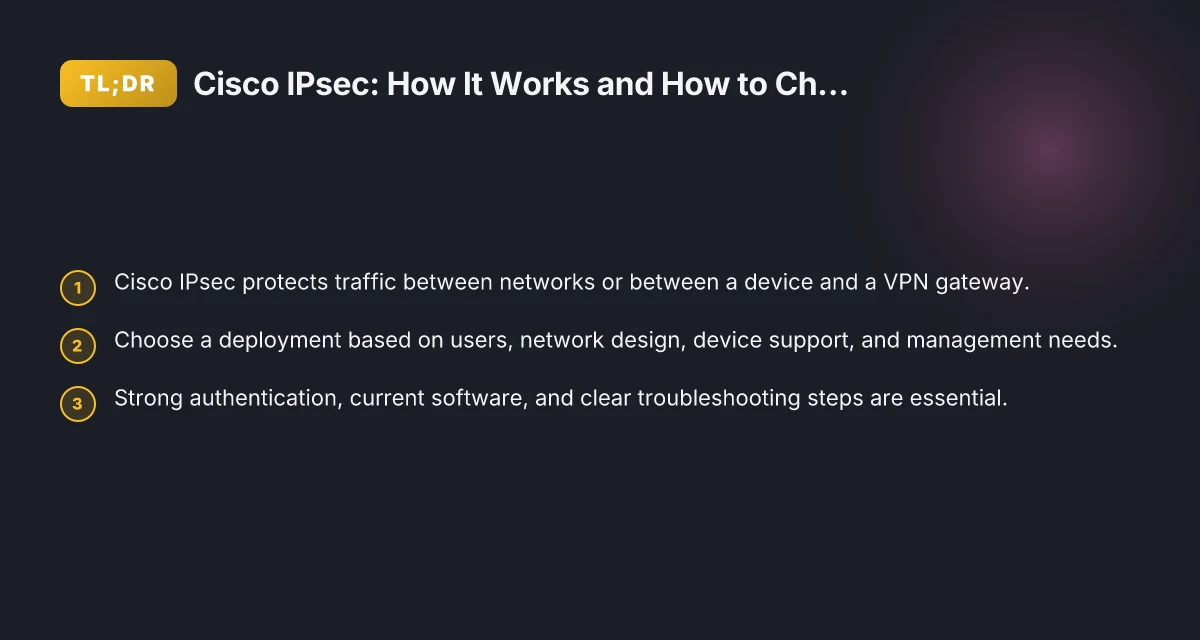
Start with the simplest checks and move through the connection in order. A failure to negotiate is different from a tunnel that is established but cannot pass traffic.
If the tunnel will not establish
Check that the peer addresses are reachable and that firewalls or upstream routers allow the required VPN traffic. IPsec commonly uses UDP 500 for IKE and UDP 4500 when NAT traversal is needed. ESP, IP protocol 50, may also need to pass when traffic is not encapsulated through NAT traversal.
Then compare both endpoints’ settings:
- IKE version and authentication method
- Pre-shared keys or certificate validity and trust
- Encryption and integrity algorithms
- Diffie–Hellman groups and negotiation lifetimes
- NAT-traversal and peer-address settings
A mismatch in one setting can prevent negotiation. Cisco diagnostic commands and logs differ by platform. Use the documentation for the specific device, and avoid sharing unredacted logs that may expose addresses or sensitive configuration. Free VPN for PC: How to Choose and Use One Safely
If the tunnel is up but traffic fails
Confirm that the intended routes point through the VPN and that both sides define compatible traffic selectors or policies. Check for overlapping private IP ranges, access-control rules, missing return routes, and NAT rules that unintentionally change protected traffic.
Test one source and destination at a time. Compare packet counters at both VPN endpoints, then check whether packets are being encrypted on one side and decrypted on the other. This can help distinguish a routing or policy issue from a negotiation problem.
Cisco IPsec troubleshooting decision guide
| Symptom | Likely area | First check | Useful evidence | Next action |
|---|---|---|---|---|
| No peer response | Reachability | Peer address and network path | IKE logs | Check routing and firewall access |
| IKE negotiation fails | IKE settings | Version and proposals | Negotiation messages | Match IKE parameters |
| Authentication fails | Credentials or trust | Shared key or certificate | Authentication logs | Correct the secret or certificate chain |
| IPsec negotiation fails | IPsec proposals | Encryption and integrity settings | IPsec negotiation logs | Align proposals at both ends |
| Tunnel is up, traffic fails | Routing or policy | Routes and traffic selectors | SA counters and route table | Correct selectors, routes, or security rules |
| Only some traffic fails | Selectors or NAT | Protected subnets and NAT rules | Traffic counters | Match selectors and handle NAT consistently |
| Tunnel drops repeatedly | Connectivity or timers | Peer stability and configured timers | Event logs | Check network interruptions and peer settings |
| One-way traffic | Return path or filtering | Reverse route and firewall rules | Interface and SA counters | Restore the return path and permit traffic |
Compiled November 2026; check the provider's site for current details. IPsec Port: Which Ports and Protocols Does IPsec Use?
Recommendation
For a new Cisco IPsec deployment, first identify the exact platforms and software versions, then choose between site-to-site and remote access based on the users and networks involved. Prefer IKEv2 and current cryptographic settings where supported, limit access to necessary traffic, and test both tunnel establishment and end-to-end connectivity. If an existing VPN is failing, compare the two endpoints’ settings and routes before changing multiple variables at once.