NordVPN Extension for Edge: How to Install, Connect, and Choose the Right Option
Learn how to install the NordVPN extension for Microsoft Edge, connect securely, and decide whether a browser extension or VPN app suits you.


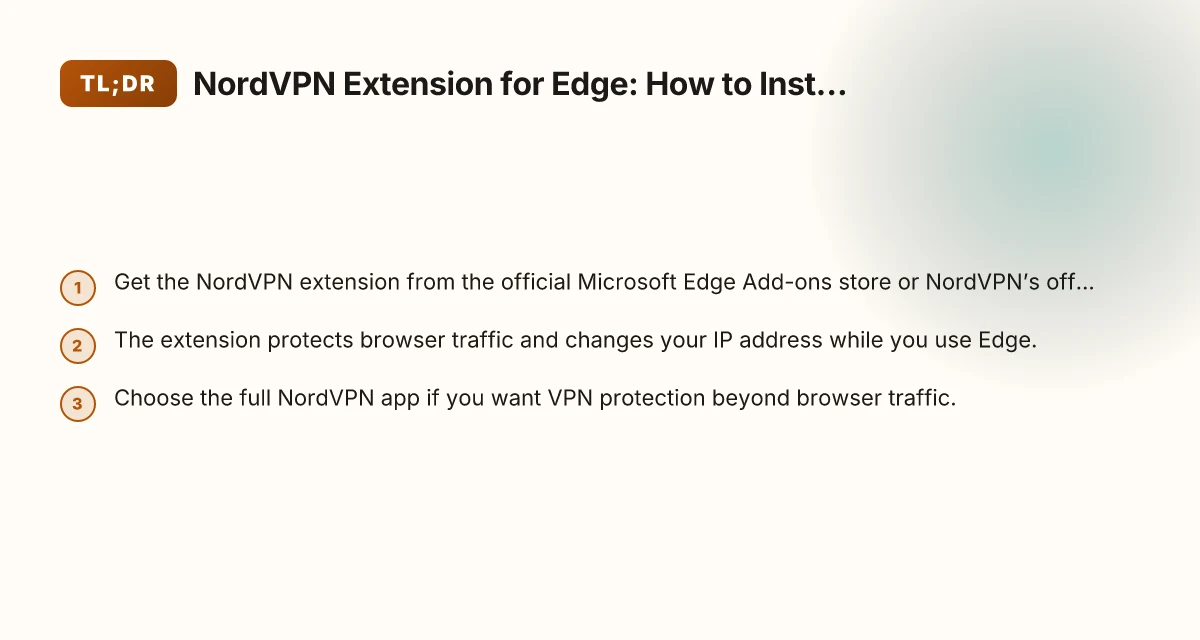
The NordVPN extension for Edge is a browser proxy that helps secure your internet traffic and change your IP address while you browse in Microsoft Edge. To get started, install the official extension from the Microsoft Edge Add-ons store, sign in to your NordVPN account, and select “Secure my connection.” If you want to protect traffic from other apps on your device as well, consider the NordVPN desktop app instead.

Editor's pick: NordVPN — fast, secure VPN — Strong encryption, a no-logs policy and apps for every device. 30-day money-back guarantee. Get NordVPN →
Compare the NordVPN Edge extension with the desktop app
| Feature | Edge extension | Desktop app |
|---|---|---|
| Runs in | Microsoft Edge | Your device |
| Browser traffic | Routes Edge traffic | Routes traffic across apps |
| Setup | Install from Edge Add-ons | Install the NordVPN app |
| Connection control | From the browser | From the app |
| Works outside Edge | No | Yes |
| Browser-specific protection | Yes | Not limited to Edge |
| Best suited for | Edge browsing | Device-wide coverage |
Compiled November 2026; check the provider's site for current details.
| VPN | Obfuscation | From / month | Plan | Free plan | Refund | Alipay | UnionPay | Crypto | Website opens in China | Trustpilot | |
|---|---|---|---|---|---|---|---|---|---|---|---|
 NordVPN | Turn on manually Obfuscated Servers / NordWhisper | $3.49/mo | 27 months: $94.23 | No | 30 days | ? | ✗ | ✓ | ✓ | ✗ Blocked | 4.2/5 (51,628 reviews) |
 ZoogVPN | Turn on manually Shadow | $2.49/mo | 27 months: $59.99 | Yes | 7 days | ✓ | ✓ | ✓ | ✓ | Official site blocked; our special link opens (4.4 s) | 4.2/5 (195 reviews) |
 ExpressVPN | ✓ On by default all servers | $3.00/mo | 28 months: $84 | No | 30 days | ✗ | ✗ | ✓ | ✗ | ✗ Blocked | 4.4/5 (29,706 reviews) |
 Surfshark | ✓ On by default Camouflage, with OpenVPN | See site | See site | No | 30 days | ✗ | ✗ | ✗ | ✓ | ✗ Blocked | 4.3/5 (31,823 reviews) |
 Proton VPN | Turn on manually Stealth, free plan too | $2.99/mo | 12 months: $35.88 | Yes | 30 days | ✗ | ✗ | ✗ | ✓ | ✗ Blocked | 2.1/5 (1,040 reviews) |
 Astrill VPN | Turn on manually StealthVPN / OpenWeb | $12.50/mo | 24 months: $300 | No | See site | ✗ | ✗ | ✗ | ✓ | ✗ Blocked | 1.3/5 (110 reviews) |
 Private Internet Access | Turn on manually Shadowsocks, OpenVPN only | $2.03/mo | 40 months: $81.2 | No | 30 days | ✗ | ✗ | ✗ | ✗ | ✗ Blocked | 4.2/5 (11,033 reviews) |
 CyberGhost | Turn on manually selected servers | $2.19/mo | 28 months: $61.32 | No | 45 days | ✗ | ✗ | ✗ | ✓ | ✗ Blocked | 4.0/5 (24,178 reviews) |
 PureVPN | Turn on manually switch to OpenVPN | $1.69/mo | 60 months: $101.55 | No | 31 days | ? | ? | ✗ | ✓ | ✗ Blocked | 4.4/5 (17,994 reviews) |
 AdGuard VPN | ✓ On by default TrustTunnel | $2.99/mo | 24 months: $71.76 | Yes | 30 days | ✓ | ✗ | ✓ | ✓ | Official site blocked; our special link opens (3.7 s) | 4.3/5 (290 reviews) |
 Mullvad | Turn on manually QUIC / Shadowsocks / LWO | $5.61/mo | €5/mo | No | 14 days | ✗ | ✗ | ✗ | ✓ | ✗ Blocked | 3.2/5 (192 reviews) |
 Windscribe | Turn on manually Stealth / WStunnel | $5.75/mo | 12 months: $69 | Yes | See site | ✗ | ✗ | ✗ | ✓ | ✗ Blocked | 4.7/5 (13,355 reviews) |
 StrongVPN | Turn on manually Scramble, OpenVPN TCP | See site | See site | No | 30 days | ✓ | ✗ | ✗ | ✗ | ✗ Blocked | 4.4/5 (2,695 reviews) |
 LightXtreme 闪连 | Not listed | $7.08/mo | 12 months: $84.99 | Yes | 30 days | ✓ | ✓ | ✓ | ✓ | ✓ Yes (3.5 s) | No page |
Prices checked 2026-11-10 on each vendor's pricing page (cheapest long plan, USD). Check the vendor's checkout for the final price.
Obfuscation checked 2026-11-14 on each vendor's site and help center: "on by default" = nothing to set; "turn on manually" = switch protocol or mode in settings; "not listed" = the vendor describes no obfuscation.
Payment methods checked 2026-11-10 on each vendor's payment pages: all 14 take cards and PayPal; ✗ = not listed, ? = the vendor's own pages disagree.
China access: whether the official website opens from mainland China networks (tests the website only, not the VPN connection). Last checked 2026-11-18 01:02 Beijing time.
Trustpilot score and review count checked 2026-11-10.
What the NordVPN Edge extension does
A browser extension works within the browser, rather than serving as a complete VPN connection for your entire device. NordVPN describes its Edge extension as a way to protect online traffic while browsing and change your IP address and virtual location.
That makes it useful when your main goal is to browse with a different IP address through Edge. It is not the same as installing the full NordVPN app, which is intended to route traffic from your device more broadly.
Keep the difference in mind before you install:
- Edge extension: Focuses on browsing activity in Microsoft Edge.
- NordVPN app: Designed to provide VPN protection for traffic from other apps and services on your device, too.
Neither option should be treated as a guarantee of complete anonymity. A VPN can help protect your connection and mask your IP address, but it does not prevent every kind of tracking or make unsafe websites safe. Nord VPN Account Generator: What It Is and Safer Alternatives
How to install NordVPN on Microsoft Edge
Use an official source when downloading the extension. You can find NordVPN in the Microsoft Edge Add-ons store, or follow the Edge-extension download link on NordVPN’s website. Avoid extensions with similar names from unfamiliar publishers.
Installation steps
- Open Microsoft Edge.
- Visit the official NordVPN listing in the Microsoft Edge Add-ons store, or open NordVPN’s official Edge extension page.
- Select the option to add or install the extension.
- Review the requested permissions and confirm the installation if you want to proceed.
- Open the NordVPN extension from the Edge toolbar. If it is not visible, check Edge’s extensions menu and pin it for easier access.
- Sign in with your NordVPN account, following the prompts in the extension.
After installation, check that the extension’s name and publisher match the official listing. This is a sensible precaution for any browser add-on, especially one that handles network or privacy-related functions.
How to connect with the extension
Once you have installed the extension and signed in, open it from Edge’s toolbar. NordVPN’s support instructions describe connecting by selecting “Secure my connection.” The extension then connects through its available service options.
To confirm it is active, reopen the extension and check its connection status. If the connection does not start: VPN Extension for Microsoft Edge: How to Choose and Use One
- Check that you are signed in to the correct account.
- Confirm that Edge is online and reload the extension.
- Update Edge and the extension if updates are available.
- Temporarily disable other extensions that may interfere, then try again.
- Consult NordVPN support if the issue continues.
If you switch locations or disconnect, revisit the extension to check your current status. Do not assume the protection is active simply because the extension is installed. Verify the connection before browsing when you need it.
Check before installing the NordVPN extension
| Check | What to look for | Why it matters | Good sign |
|---|---|---|---|
| Store listing | NordVPN publisher | Helps identify the official extension | Publisher matches NordVPN |
| Browser | Microsoft Edge | Ensures the extension is compatible | Edge Add-ons listing |
| Permissions | Requested access | Shows what the extension can reach | Permissions make sense |
| Sign-in | NordVPN account | Needed to use the service | Sign-in is through NordVPN |
| Connection | Protected status | Confirms the extension is connected | Extension shows connected |
| Updates | Current extension version | Updates can include fixes | Updates are enabled |
Compiled November 2026; check the provider's site for current details.
Extension or desktop app: which should you use?
The right choice depends on what you want to protect. An Edge extension is convenient when you mainly browse in Edge. The full app is the better fit when you want VPN coverage for more than the browser. Free VPN for Edge Extension: How to Choose One Safely
| Feature | NordVPN Edge extension | NordVPN desktop app |
|---|---|---|
| Main use | Browsing in Microsoft Edge | VPN protection across device activity |
| Changes your IP while browsing | Yes | Yes |
| Protects traffic outside Edge | Not its primary scope | Designed to cover other apps and services |
| Best suited to | Edge-focused browsing | Broader device protection |
A browser extension may also be easier to access during everyday browsing, since it sits in the browser toolbar. The app may suit you better if you use several browsers, desktop applications, or connected services and want protection beyond an Edge session.
Safety and privacy checks
Search results can include outdated posts, videos, and unofficial downloads. A years-old community post, for example, is not enough by itself to establish that a current extension is malicious or safe. Use the current official Microsoft Edge Add-ons listing and NordVPN’s own support pages as your main references.
Before installing, check:
- Publisher: Confirm that the extension is offered by NordVPN through an official channel.
- Permissions: Read what the extension requests and decide whether those permissions make sense for its function.
- Updates: Keep Edge and the extension current.
- Connection status: Verify that the extension is connected when you expect it to be.
- Scope: Remember that a browser extension is not automatically equivalent to a device-wide VPN app.
Also review NordVPN’s current documentation for account, feature, and setup details, since product interfaces and instructions can change. Free VPN Edge Extension: How to Choose One for Microsoft Edge
Choose the right NordVPN option for your needs
| Your need | Recommended option | Coverage | Keep in mind |
|---|---|---|---|
| Protect Edge browsing | Edge extension | Edge traffic | Does not cover other apps |
| Protect all device traffic | Desktop app | Device traffic | Runs separately from Edge |
| Use VPN while browsing | Edge extension | Browser-based | Connect from the extension |
| Protect apps beyond the browser | Desktop app | Apps and browser | Choose device-wide protection |
| Prefer browser controls | Edge extension | Edge traffic | Manage connection in Edge |
| Want broader device protection | Desktop app | Device traffic | Use the desktop app |
Compiled November 2026; check the provider's site for current details.
Recommendation
For Edge-focused browsing, install the official NordVPN extension from the Microsoft Edge Add-ons store or NordVPN’s website, sign in, and select “Secure my connection.” If you need VPN protection for traffic beyond Microsoft Edge, use the NordVPN desktop app and check NordVPN’s current guidance to choose the setup that fits your needs.